


There is a specific kind of message nobody who manages websites wants to receive: a client asking why their site has been showing an error since this morning. At that point the outage is no longer a technical problem. It is a trust problem, and trust is far more expensive to repair than a PHP memory limit.
Good WordPress uptime monitoring exists to make sure that message never gets sent. It is the difference between finding out about downtime in ninety seconds and finding out about it at 9am the next day.
This guide covers what uptime monitoring actually does, where free tools quietly fail, and how WPCentrify’s uptime monitoring handles it across a portfolio of sites.
What uptime monitoring actually does
At its simplest, an uptime monitoring tool sends a request to your website on a fixed schedule and records what comes back. If the response fails, you get alerted.
That is the basic version. The useful version answers four questions instead of one:
- Is the site reachable? Does it respond at all?
- Is it serving the right thing? A site can return a healthy status code while displaying a database error.
- Is it getting slower? Degrading response times usually arrive before a full outage.
- Is anything about to expire? SSL certificates and domains take sites offline on a schedule you can predict.
Most free tools answer question one. Everything after that is where sites, and client relationships, actually break.
Why most WordPress downtime goes unnoticed
Real WordPress outages are rarely dramatic. Servers do not often catch fire. What actually happens looks like this:
- A plugin update runs overnight and conflicts with the theme
- A traffic spike exhausts the PHP memory limit
- An SSL certificate expires and browsers start throwing warnings
- A slow database query saturates available connections
- A host performs unannounced maintenance
These failures share two traits. They are short, and they are invisible unless something is actively watching. A four-minute outage at 2am on a Sunday leaves no trace in your analytics and no notification in your inbox. It does, however, leave a trace in Google’s crawl logs and in the experience of whoever tried to check out during those four minutes.
The five-minute problem
Free monitoring tools typically check every five minutes from a single location. Both halves of that sentence cause problems.
A five-minute interval means an outage can run for close to nine minutes before you are told, assuming the failure begins immediately after a successful check. For a WooCommerce store during a promotion, nine minutes is real revenue.
A single check location means routing problems get misreported as site failures. One flaky network path between the monitor and your server produces an alert that says the site is down when it is perfectly fine. After a few of those, people start ignoring alerts entirely. That is worse than having no monitoring at all, because now you believe you are covered.
What strong WordPress uptime monitoring checks
If you are evaluating an uptime monitoring tool, these are the capabilities worth insisting on.
Short check intervals. Sixty seconds should be the baseline. Anything longer and you are accepting that short outages will pass unrecorded.
Multi-region verification. A failure detected from one location should be confirmed from a second before an alert fires. This single design decision removes most false positives.
Content validation, not just status codes. WordPress is entirely capable of returning a 200 OK while rendering a white screen or a fatal error. Monitoring should check for expected content on the page, not just the header.
Critical URL monitoring. Your homepage staying up is not the same as your checkout, login page, or booking form staying up. Those deserve their own checks.
SSL and certificate expiry tracking. An expired certificate is a fully preventable outage that still takes sites down every single week.
Response time history. Availability tells you the site is up right now. Response time trends tell you it is heading toward not being up.
Escalating alerts. An alert that lands in an unread inbox on a Saturday is not monitoring. It is documentation.
How WPCentrify approaches uptime monitoring
WPCentrify is a WordPress management platform built for people responsible for more than one site: agencies, freelancers, and in-house teams running a portfolio. Uptime monitoring is included on every plan rather than sold as an add-on, which matters when you are watching thirty sites instead of one.
Here is how the feature works in practice.
Checks every 60 seconds, confirmed across regions
Each connected site is checked from several geographic locations on a sixty-second cycle. A site is only marked as down once the failure is verified from a second region. In practice, that means an alert typically reaches you within about ninety seconds of a genuine outage, and network hiccups from a single vantage point do not wake you up for nothing.
Deeper than a status code
Alongside the HTTP response, WPCentrify checks response time, expected page content, SSL validity, and certificate expiry dates. You can point monitoring at specific URLs such as a checkout flow or login page rather than only the homepage. Authenticated monitoring is supported too, so a member dashboard or account area can be checked the way a logged-in customer would experience it.
Alerts that escalate until someone responds
Alerts can route to email, SMS, Slack, Microsoft Teams, Discord, or a webhook. You can configure quiet hours, on-call rotation, and escalation rules so an unacknowledged critical alert moves to the next person instead of sitting unopened. Maintenance windows suppress alerts during planned work, which keeps the signal clean.
Response time as an early warning system
WPCentrify tracks response time per site over time and flags sustained degradation, not just outright failure. A site drifting from 300ms to 1.4 seconds over three weeks is telling you something before it ever returns an error.
Incident records you did not have to write
When something does go down, the platform records the start time, end time, duration, the error returned, and which regions saw the failure. It also correlates the incident with what else was happening: an update that ran, a plugin that changed, a certificate that lapsed. That context is what turns an outage into a fix rather than a guess.
SLA tracking and client-facing reporting
If you have committed to 99.9% availability in a care plan, WPCentrify measures against that figure and warns you before the month’s error budget is spent. Uptime numbers flow automatically into monthly client reports and the white-labelled client portal, so nobody is screenshotting graphs the night before a review call. You can also publish public or private status pages per client.
Monitoring at portfolio scale
Watching one site is a solved problem. Watching thirty is where tooling earns its cost.
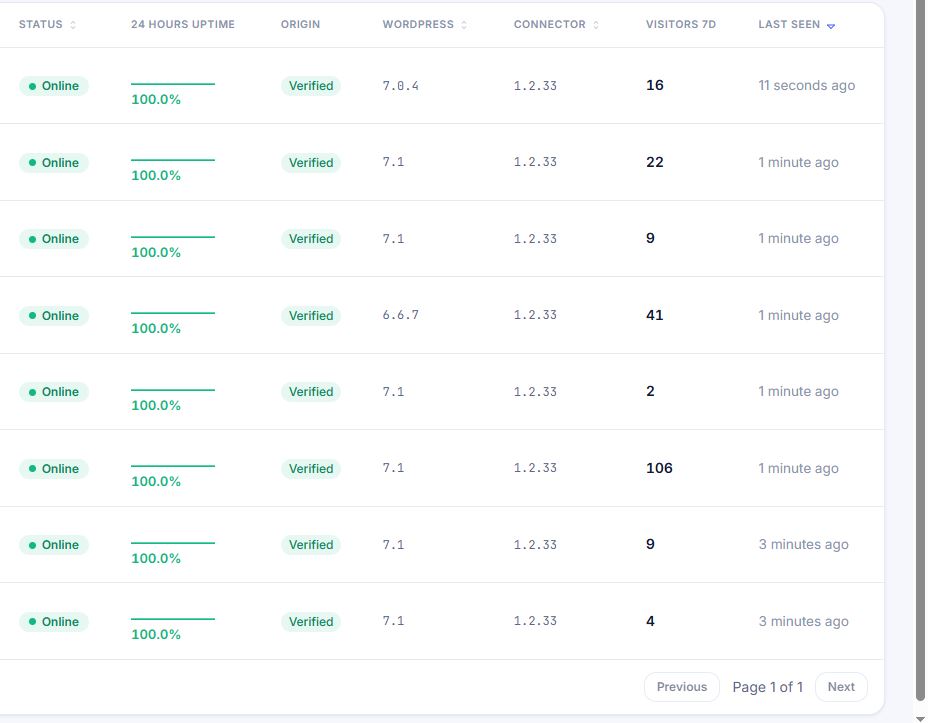
A portfolio view surfaces the worst performers first, so your attention goes where it is needed instead of being spread evenly across sites that are fine. Domain expiry warnings and DNS change detection catch the administrative failures that no server-level monitoring will ever see. SSL expiry alerts arrive with enough lead time to actually renew.
That combination of availability, performance, certificates, domains, and DNS in one dashboard is what separates a WordPress maintenance platform from a standalone ping service.
Setting up uptime monitoring properly: a short checklist
Whatever tool you choose, this is the setup that avoids the common failure modes:
- Monitor more than the homepage. Add checkout, login, and any lead form.
- Set a content check, not just a status code check.
- Configure at least two alert channels, and make one of them push-based.
- Define an escalation path so alerts do not die with one person.
- Turn on SSL and domain expiry warnings.
- Set maintenance windows before planned work, not after the alerts start.
- Review response time trends monthly, not only when something breaks.
Frequently asked questions
How fast should uptime alerts arrive? Under two minutes is a reasonable standard. WPCentrify detects a failure within sixty seconds and confirms it from a second region within another thirty.
Does uptime monitoring affect site performance? No meaningfully. A monitoring check is a single lightweight request. The load is negligible compared to normal traffic.
Does downtime hurt SEO? Brief, infrequent outages generally do not cause lasting ranking damage. Repeated or prolonged downtime does, because it affects crawlability and user experience signals.
Can clients see their own uptime figures? With WPCentrify, yes. Clients see their figures through a white-labelled portal or a status page on your own domain, plus automatic inclusion in monthly reports.
The takeaway
Uptime monitoring is not really about uptime. It is about who finds out first. When you are the one reporting an incident, along with the cause and the resolution, downtime becomes evidence that you are paying attention. When the client tells you, it becomes evidence that you are not.
If you manage more than one WordPress site, it is worth testing this against something real. WPCentrify is currently open for early access, free during the early access period, and connecting a site takes about two minutes.
You can review the full feature set on the uptime monitoring page or explore the wider platform at wpcentrify.com.